![logo-mark-primary-color-4.png]](https://support.apicbase.com/hs-fs/hubfs/logo-mark-primary-color-4.png?height=40&name=logo-mark-primary-color-4.png)
Open the matrix
Go to Insights Hub and select Menu Engineering under Sales. The matrix requires the Insights Hub & BI module. Outlet users also need the Insights Hub permission View Dashboards.
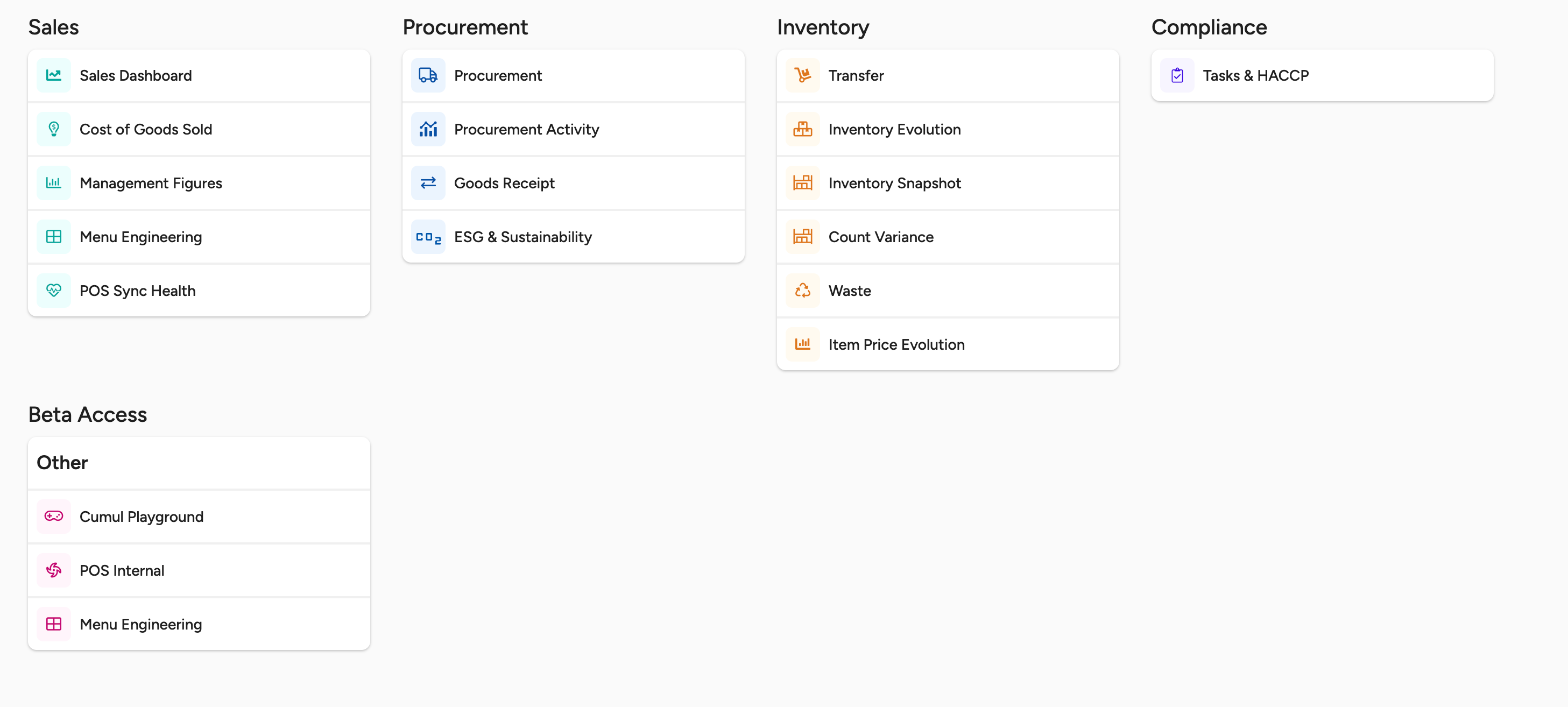
The matrix only shows recipes that have POS sales in the date range you choose. It does not show a recipe that never sold, and it leaves out sales that are not linked to a recipe.
Read the four groups
Each recipe is compared with the other recipes in your selection. Popularity says how well it sells, profitability says how much it earns.
- Stars: high popularity, high profitability. Protect and promote them.
- Puzzles: low popularity, high profitability. Give them more visibility.
- Plowhorses: high popularity, low profitability. Review their cost or their price.
- Dogs: low popularity, low profitability. Consider removing them.
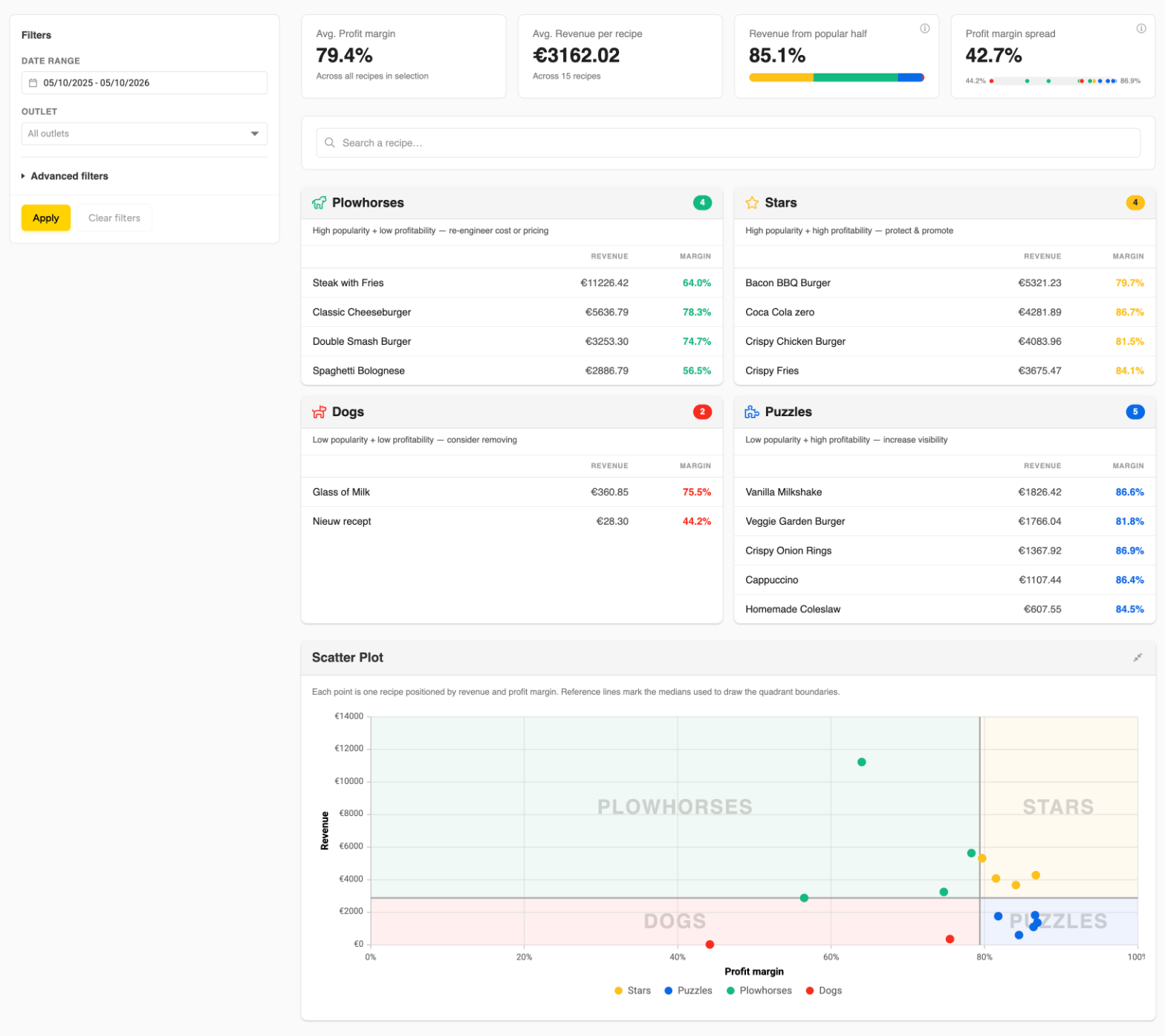
The page also shows four summary cards at the top and a scatter plot with one point per recipe. Search a recipe in the spotlight box to see how far it sits above or below the line between high and low in your selection. Select a recipe in a group, a point in the scatter plot or the recipe name in the spotlight to open that recipe in a new browser tab. Recipes with a negative margin appear in their group but may not be drawn on the scatter plot.
Choose what you look at
Use the filters on the left to change the selection.
- Pick a Date range. The page opens on the last 30 days.
- Optionally pick an Outlet. Without a choice, the page shows All outlets.
- Optionally open Advanced filters and pick a POS category, Recipe category or Recipe subcategory.
- Select Apply.
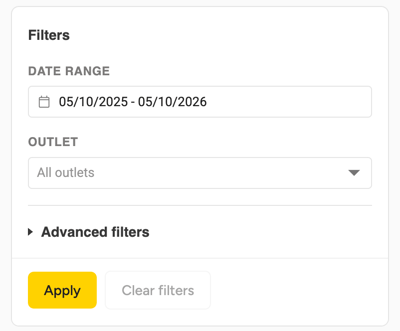
Your changes only count after you select Apply. Clear filters empties the outlet and the advanced filters and applies at once. Filters are not remembered: the next time you open the page, it starts on the last 30 days again.
Change how the matrix is measured
Select Dashboard settings to choose two things.
- Matrix mode: Revenue × Profit margin measures popularity by total revenue and profitability by average profit margin. This is the default. Canonical (Kasavana & Smith) measures popularity by units sold and profitability by contribution margin per unit. Profit is sales excluding VAT minus prime cost.
- Axis orientation: choose whether popularity sits on the vertical or the horizontal axis. This only changes the drawing and swaps the places of Plowhorses and Puzzles in the grid. No recipe moves to another group.
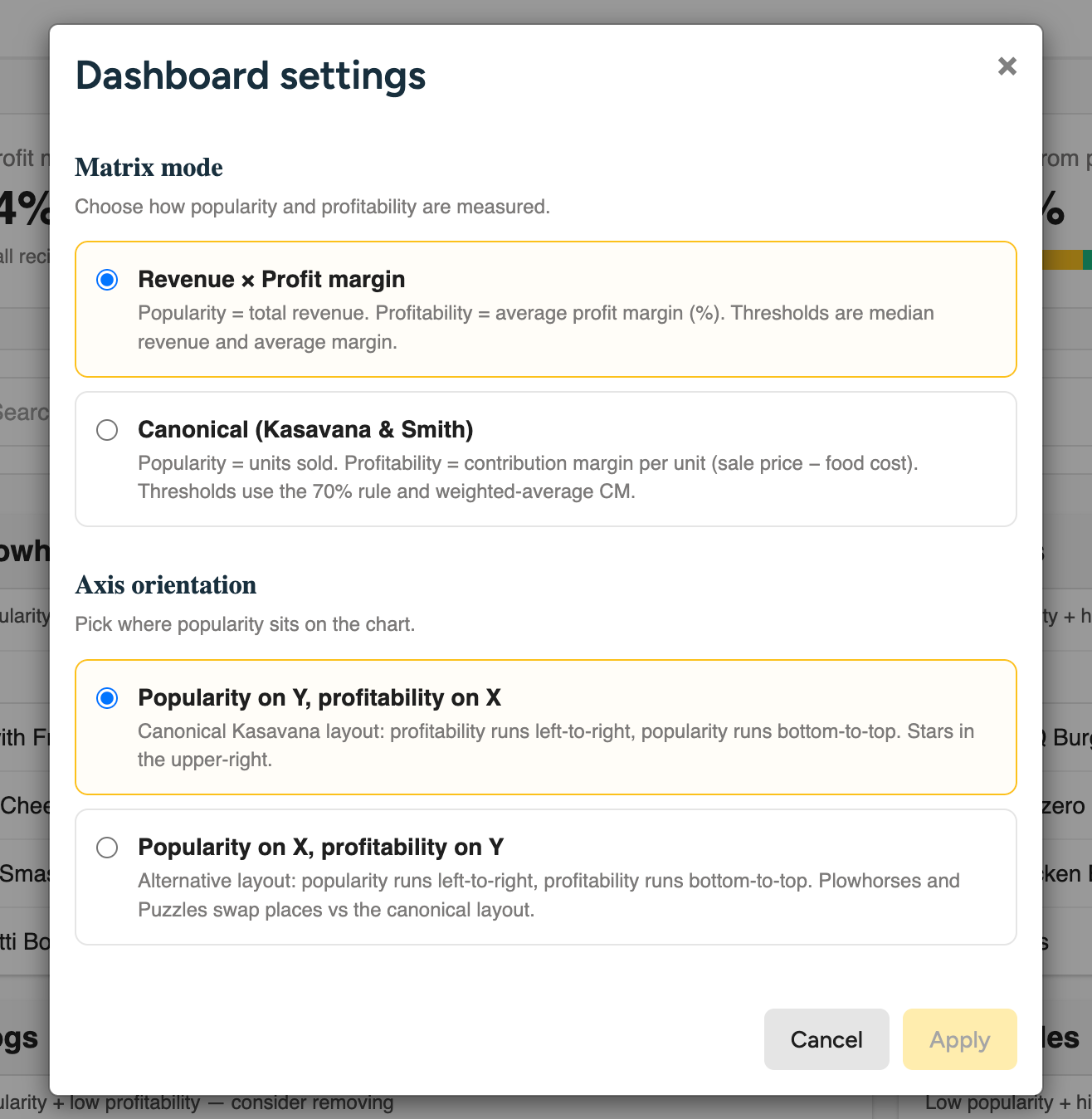
Select Apply to save, or Cancel to keep what you had. The settings are saved in your browser, so a colleague on another computer can see the same recipes in a different layout.
If the page does not load
If the grid says Failed to load matrix data., select Try Again. If it keeps failing, the Insights Hub & BI module may not be on for your account, or your role may lack View Dashboards. Ask your administrator to check your role, or contact Apicbase support about the module.