![logo-mark-primary-color-4.png]](https://support.apicbase.com/hs-fs/hubfs/logo-mark-primary-color-4.png?height=40&name=logo-mark-primary-color-4.png)
Before you make a product orderable
Normally the supplier's status decides, and it usually has a reason: the article is not in your assortment, or not available for that location.
Before you switch a product to orderable, check with your supplier, preferably your sales rep, that you can really order this article for that location. The supplier's webshop alone is not enough. Apicbase sends the line with your order but does not check with the supplier, so the supplier may still not deliver it.
Override for an outlet
- Open the ingredient and go to the Packages & Pricing tab.
- In the package table, open the package with the arrow and select the button in the Orderable column of the supplier's row.
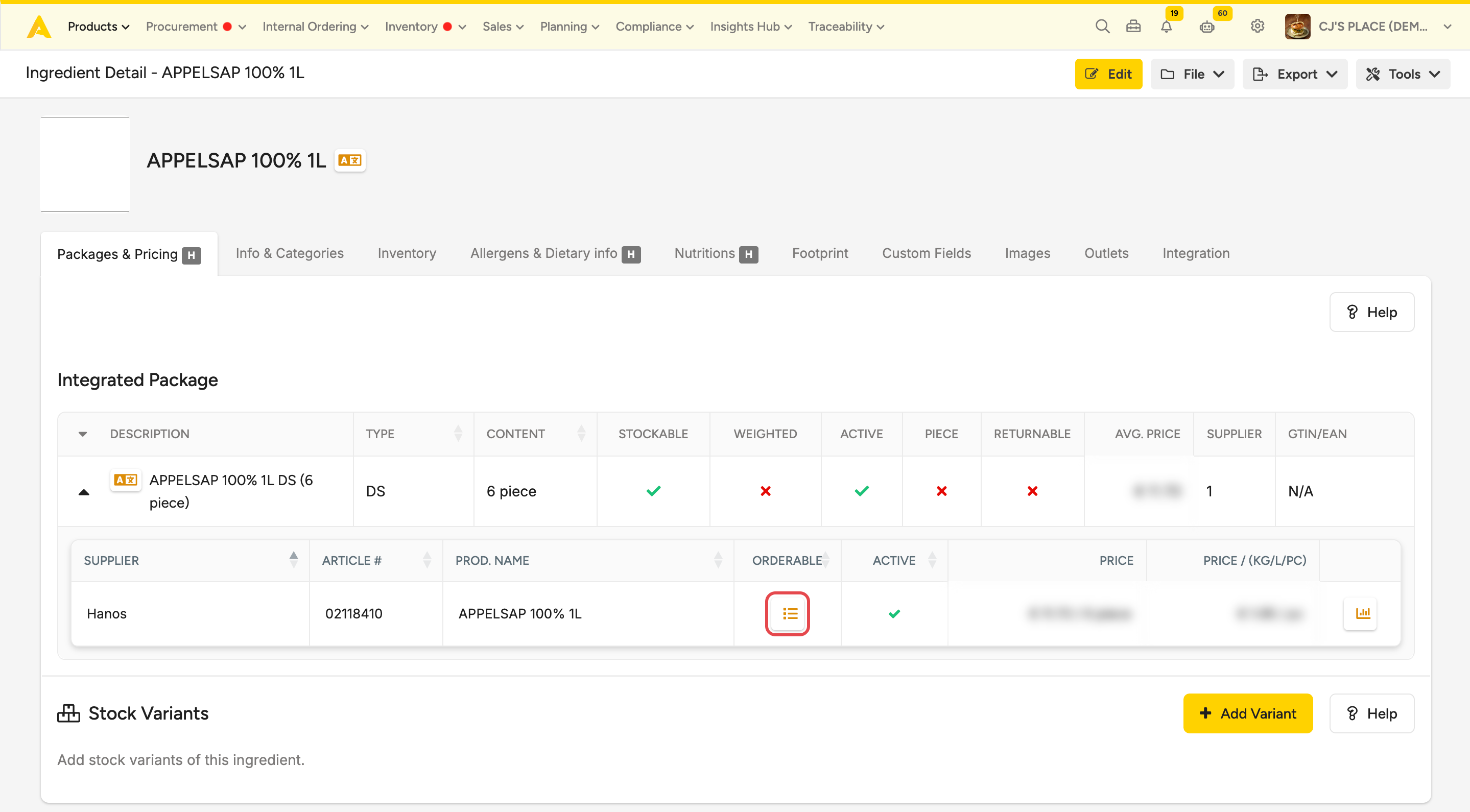
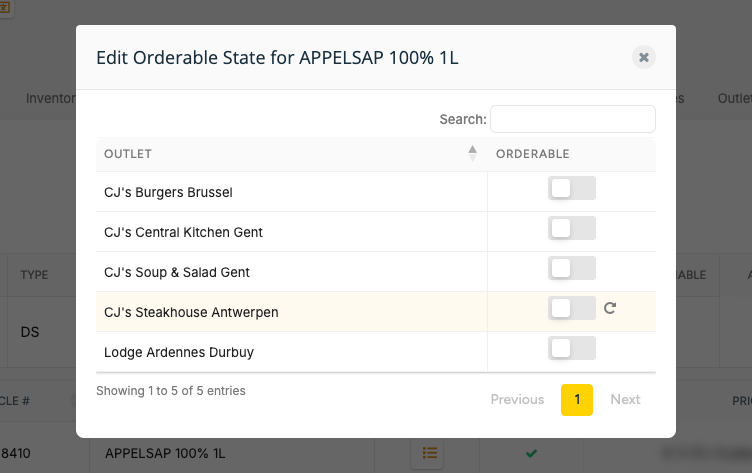
- The window lists every outlet linked to the supplier, with a toggle per outlet. Use Search to find an outlet.
- To make the product not orderable for an outlet, switch its toggle off. It saves right away.
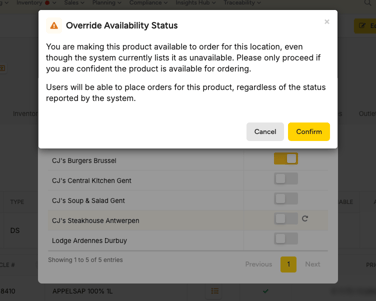
- To make it orderable, switch the toggle on. Read the warning and select Confirm, or Cancel to leave it as it was.
A row with an override turns yellow and shows a revert arrow.
Go back to the supplier's status
Your override stays after the daily supplier update, until someone reverts it. So once the supplier has fixed its data, revert the override: select the revert arrow on the row (Revert to integration setting). The supplier's status applies again.
Switching the toggle back does not do the same: it sets a new override.
Who can do what
- Making a product orderable needs the Supplier Integration Admin permission.
- Making it not orderable, or reverting, needs edit rights on the ingredient or the Supplier Integration Admin permission.
- Other users see the same window read-only, with the toggles greyed out.