![logo-mark-primary-color-4.png]](https://support.apicbase.com/hs-fs/hubfs/logo-mark-primary-color-4.png?height=40&name=logo-mark-primary-color-4.png)
You need the AI module: ask your Customer Success Manager to switch on AI features. Your role needs Recipe > Edit, and Ingredient > Edit to create new ingredients during the import. Outlet users cannot import recipes.
Start an import
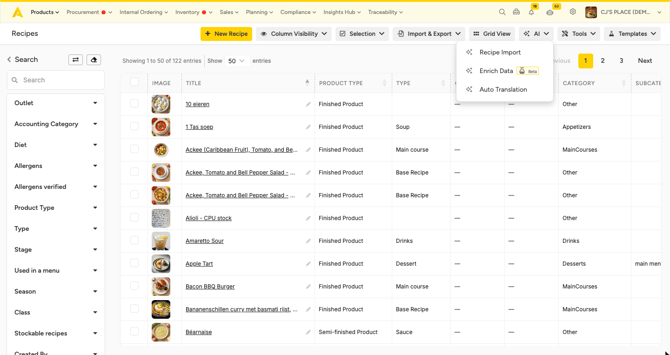
- Go to Recipes and select AI > Recipe Import. You also find it under Import & Export > Import > Import with AI.
- Choose one source:
- Import from URL: paste the web address of a recipe page.
- Upload Image: one photo or scan, up to 10 MB.
- Upload Document: one PDF, Word, Excel or text file, up to 5 MB. A file can hold several recipes; five to ten per file works best.
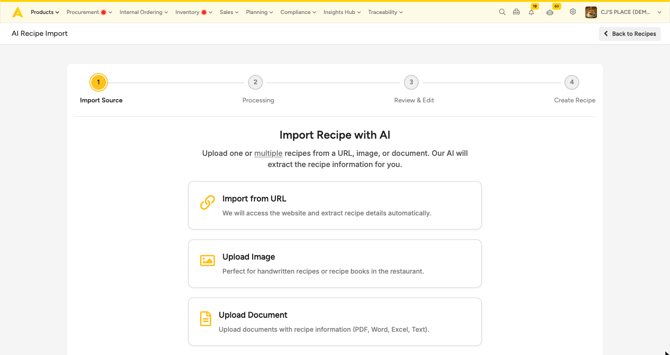
- Select Continue. Reading the source can take a minute.
Fill in units the AI cannot convert
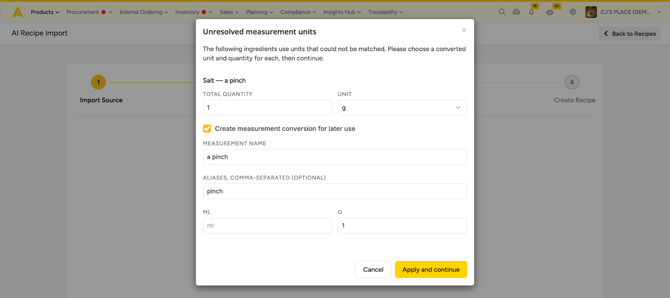
If the source uses a unit Apicbase does not know, such as "a pinch", a pop-up asks for it. Enter the Total quantity and choose a Unit. Tick Create measurement conversion for later use to have it recognised next time, then select Apply and continue. Saved conversions are under AI Settings > Measurement Conversions in your library settings.
Review the recipes
Each recipe appears as a card on the left. Select one to open it, and check that it has a name and portions: both are required. Use the bin icon on a card to drop a recipe you do not want.
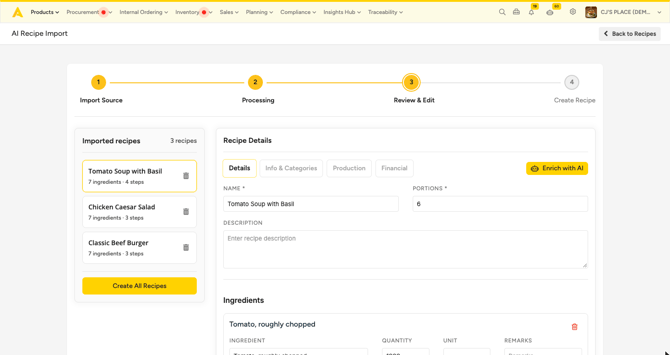
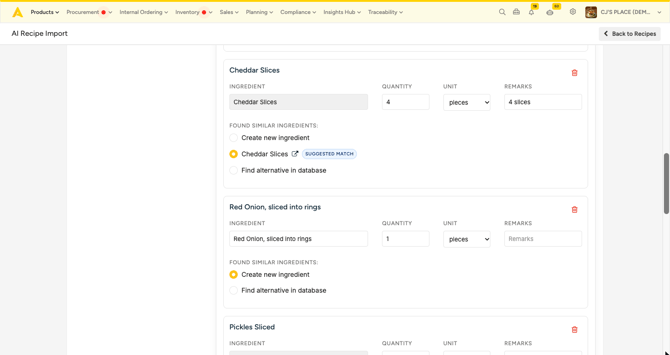
Then go through the ingredients. Each line shows the text from the source and one of three choices:
- Suggested match: an ingredient or recipe already in your library. Keep it when it is right.
- Find alternative in database: search for a different one and pick it.
- Create new ingredient: adds the ingredient when you save. Lines without a match start on this option, so check them to avoid duplicates.
Create the recipes
With one recipe, select Import and go there to open it, or Import and add another one to start the next import. With several, select Create All Recipes. The recipes are created one by one and your Recipes list opens.
What you get
Each recipe is a library recipe with its ingredients, quantities, steps and the details the AI found. Set the sell price and tax on the recipe after the import. New ingredients only have a name: add their unit, package and price so the recipe cost is right.
Nothing is saved until you create the recipes, so leaving the page during the review loses the import.