![logo-mark-primary-color-4.png]](https://support.apicbase.com/hs-fs/hubfs/logo-mark-primary-color-4.png?height=40&name=logo-mark-primary-color-4.png)
Unfortunately, Apicbase no longer builds fixed Apic Studios. However, Apicbase's Barcode Scanner App can also be used as a Studio, that is, to take pictures of your recipes to be added into the system. This allows users to take high-quality photos with any mobile device and upload them directly to Apicbase. When combined with a lightbox, this setup functions as a mobile studio. To do so:
- Log in to the Barcode Scanner App.
- Tap Studio in the menu.
- Choose to (1) take a new photo of your dish or (2) upload an existing one from your device.
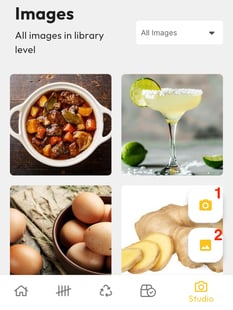
- Confirm the upload. Your photo is now saved in your library.
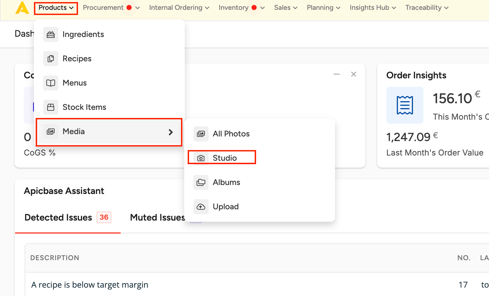
- In Apicbase (in your browser), go to Products > Media > Studio on your web browser to find and view your Studio photos.
This is only possible for library users.