![logo-mark-primary-color-4.png]](https://support.apicbase.com/hs-fs/hubfs/logo-mark-primary-color-4.png?height=40&name=logo-mark-primary-color-4.png)
Table of Contents
-
Recipe accessibility and restricted visibility
3.1 When recipe details become hidden
3.2 When visibility is restored
3.3 Permission requirements
1. Context: when stockable and orderable recipes are needed
Set up stockable and orderable recipes when one outlet produces items for others. Typical examples include a central kitchen preparing sauces, prep batches or baked goods and supplying them to restaurants.
This structure ensures consistent production, cost control and internal ordering.
2. Setting up a recipe to be stockable and orderable
-
Create the recipe that will be produced by the internal supplier outlet.
-
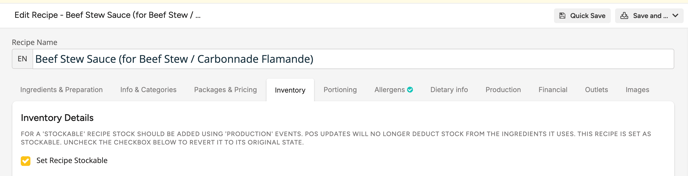
Within the recipe, navigate to the Inventory tab and Set Recipe Stockable so the recipe behaves as an inventory item.
-
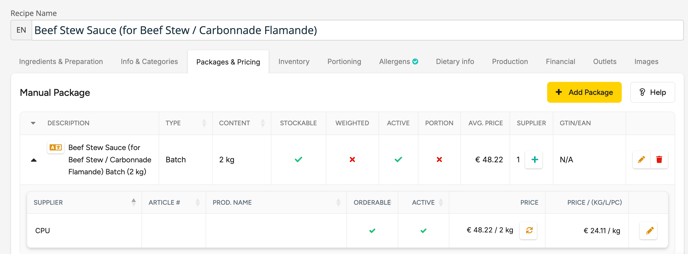
In Packages & Pricing, add at least one package that represents how the recipe will be distributed (unit, weight or pack size).
-
Assign the internal supplier outlet (for example Central Kitchen) as the supplier of the package.
-
Link the internal supplier outlet to the recipe so it is authorised to produce and ship it.
-
Link all outlets that should be able to order the recipe, either directly or indirectly (i.e., via other recipes or menus).
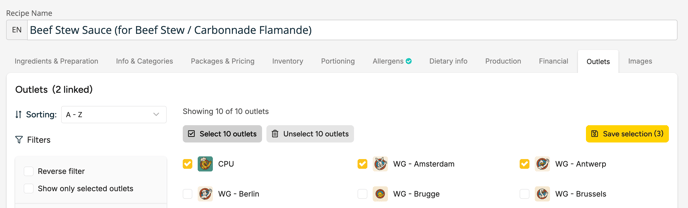
Tip: At minimum, the recipe must be stockable, have a package, have the internal supplier assigned and be linked to all ordering outlets.
3. Recipe accessibility and restricted visibility
3.1 When recipe details become hidden
When a recipe is stockable and linked to an internal supplier outlet, outlets that have access to that internal supplier do not see the underlying recipe details. This includes ingredient list, method and costs.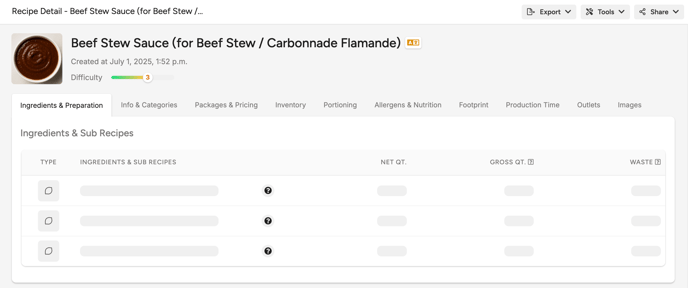
3.2 When visibility is restored
Recipe details become visible again when:
-
The recipe is no longer stockable.
-
The outlet does not have access to the internal supplier outlet. In this case Apicbase assumes the outlet produces the recipe themselves, so recipe details are visible.
3.3 Permission requirements
User visibility also depends on the View restricted recipes permission.
-
Users with this permission see full details.
-
Users without this permission only see the packaged stock item information.